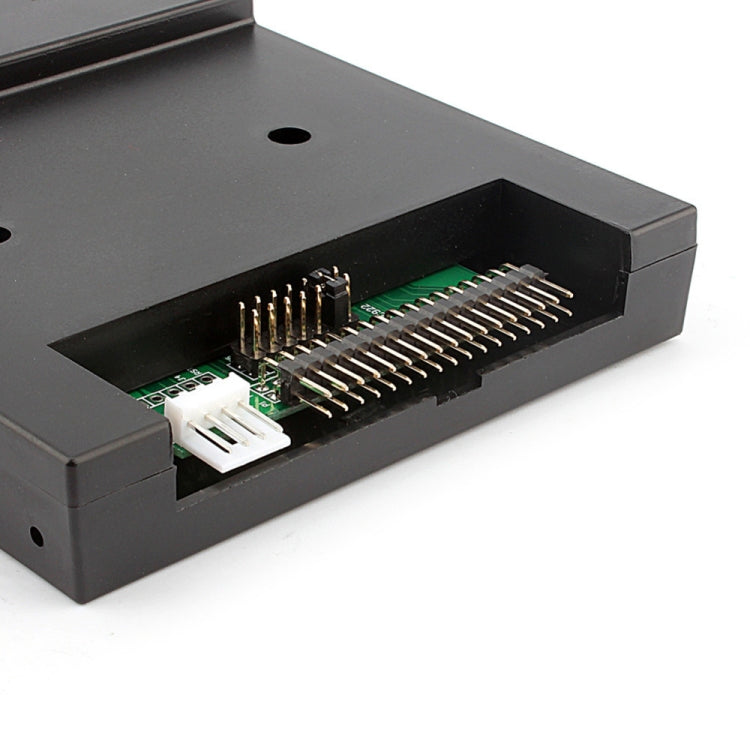
SFR1M44-U100K Floppy Disk Drive to USB Emulator Simulation 500 kbps for Musical Keyboad, SFR1M44-U100K(Black)
£46.47


Regular price
£46.47
Sale price
£46.47
Regular price
Unit price
per
Tax included.
Couldn't load pickup availability
- Application:Emulator
- Interface Type:USB
- Type:Internal
- Model Number:Floppy Disk Drive
- USB Floppy Emulator:Floppy Disk
Product Features:
This floppy drive emulator is great for electronic organ
Housing Material:ABS
Color:Black
Floppy driver with below function needed:
Floppy driver with 34pin interface,and 5V DC power plug
Use 2HD flpppy disk with 1.44MB capacity
Format of disk:Cylinders:80
Tracks:160 Sectors/Track
18 Bytes/Sector:512 Data
Transfer rate:500 kbps
Encoding method:MFM
Features:
Use normal usb flash drive as the medium for transfer design.
34pin floppy driver interface,5V DC power supply,easy to install.
Capacity:1.44MB 2HD Cylinders:80 Tracks:160 Sectors/Track: 18 Bytes/Sector:512 Data
Transfer rate:500 kbps
Encoding method:MFM.
1000pcs partitions in usb flash drive can be used.
Built-in self-format function.(read relevant documents to use this function)
Jumpers with function for different machines(SFR1M44-U100K not support jumpers).
Panel:
8segment numbers:represent partitions number
Green led:status of read and write operation
USB port:connect usb flash drive
Button:
Left button used to rise ten-digit,right botton used to rise single-digit,press 2 button together to
rise hundred-digit
Operation :
Format usb flash drive.
1.use built-in self-format function to format usb flash drive into 1000pcs partitions
2.install an emulator on computer,and format every partitions by operate driver A.
3.use emulator UFA1M44-100,plug usb flash drive on it,
connect to computer,it will recognized as removabe driver A or B under WINDOWS XP/2000/7,format every partitions.
UFA1M44-100 also built in self-format function.
Read and write data.
1.install emulator on machine
2.install emulator on computer
3.connect usb flash drive on computer,read and write data directory by software, under WINDOWS XP/2000
4.use emulator UFA1M44-100,plug usb flash drive on it, connect to computer,read and write data under WINDOWS XP/2000/7.
This floppy drive emulator is great for electronic organ
Housing Material:ABS
Color:Black
Floppy driver with below function needed:
Floppy driver with 34pin interface,and 5V DC power plug
Use 2HD flpppy disk with 1.44MB capacity
Format of disk:Cylinders:80
Tracks:160 Sectors/Track
18 Bytes/Sector:512 Data
Transfer rate:500 kbps
Encoding method:MFM
Features:
Use normal usb flash drive as the medium for transfer design.
34pin floppy driver interface,5V DC power supply,easy to install.
Capacity:1.44MB 2HD Cylinders:80 Tracks:160 Sectors/Track: 18 Bytes/Sector:512 Data
Transfer rate:500 kbps
Encoding method:MFM.
1000pcs partitions in usb flash drive can be used.
Built-in self-format function.(read relevant documents to use this function)
Jumpers with function for different machines(SFR1M44-U100K not support jumpers).
Panel:
8segment numbers:represent partitions number
Green led:status of read and write operation
USB port:connect usb flash drive
Button:
Left button used to rise ten-digit,right botton used to rise single-digit,press 2 button together to
rise hundred-digit
Operation :
Format usb flash drive.
1.use built-in self-format function to format usb flash drive into 1000pcs partitions
2.install an emulator on computer,and format every partitions by operate driver A.
3.use emulator UFA1M44-100,plug usb flash drive on it,
connect to computer,it will recognized as removabe driver A or B under WINDOWS XP/2000/7,format every partitions.
UFA1M44-100 also built in self-format function.
Read and write data.
1.install emulator on machine
2.install emulator on computer
3.connect usb flash drive on computer,read and write data directory by software, under WINDOWS XP/2000
4.use emulator UFA1M44-100,plug usb flash drive on it, connect to computer,read and write data under WINDOWS XP/2000/7.
Specification:
| Package Weight |
|